 United States (English)
 Russia (Pусский)
 France (Français)
 China (中文)
 Spain (Español)
 Germany (Deutsch)
 Portugal (Português)
 Slovakia (slovenský jazyk)
 Australia (English)
 New Zealand (English)

Prevention of Surge Protective Device Failure in Summer Thunderstorms
Summer thunderstorms bring more than just rain and wind—they bring lightning strikes that can destroy expensive equipment in milliseconds. Yet many facility managers discover too late that their Surge Protective Devices (SPDs) were already dead before the first bolt hit. Unlike circuit breakers that trip with a clear signal, SPDs degrade silently. By the time you need them, they may offer no protection at all.
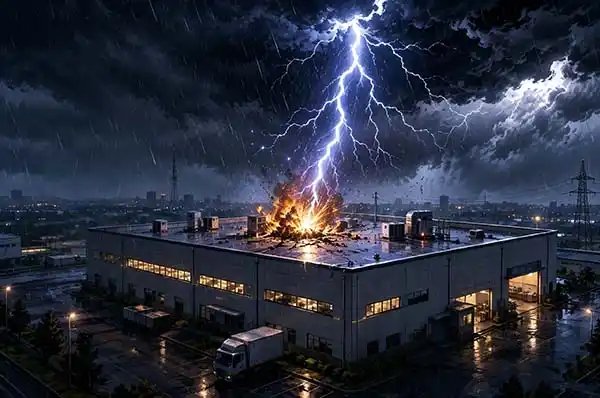
This article provides a practical, actionable framework for preventing SPD failure before summer storm season arrives.
The Hidden Problem – SPDs Degrade Without Warning
The core of most SPDs is the Metal Oxide Varistor (MOV). When a surge occurs, the MOV absorbs the excess energy and clamps the voltage to a safe level. But each absorption event causes microscopic damage. Over time, the cumulative effect of repeated surges—even small ones—degrades the MOV’s nonlinear characteristics.
This degradation manifests as a gradual decrease in insulation resistance and an increase in resistive leakage current. As leakage current rises, so does internal temperature. If left unchecked, the MOV can overheat to the point of catching fire.
Most modern SPDs include a thermal disconnector—a safety mechanism that physically separates the MOV from the circuit when a critical temperature is exceeded. Once this disconnector operates, the SPD no longer provides any protection.
The catch: The thermal disconnector doesn’t sound an alarm. It doesn’t trip a breaker. It simply changes a small window from green to red—a detail easily missed during a busy shift.
Visual Indicator – What the Color Window Really Means
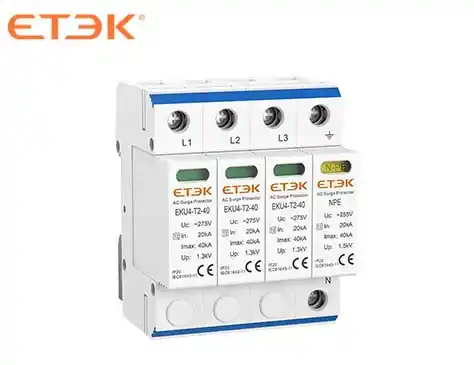
The status indicator window is the most straightforward way to assess SPD health. Nearly all modern SPDs with status indication use this visual coding:
| Color | Meaning | Action |
|---|---|---|
| Green | SPD is functional and protecting the system | Routine monitoring |
| Yellow | Early degradation detected; end of life approaching | Schedule replacement soon |
| Red | SPD has failed or reached end of life; no protection | Replace immediately |
Some advanced SPDs offer a two-stage thermal disconnector. The first stage activates at a lower temperature, triggering a yellow indicator or remote alarm while keeping the device operational. This gives maintenance teams advance warning to order replacements before complete failure occurs. The second stage disconnects the device entirely and turns the indicator red.
A critical mistake many maintenance teams make: when the upstream overcurrent protection device (MCB or fuse) trips, they simply reset it without checking the SPD module itself. If the SPD has reached end of life, replacing only the breaker leaves the system unprotected and creates a fire hazard.
Testing SPD Health Without Special Tools
While dedicated SPD testers provide the most accurate diagnostics, a standard digital multimeter can reveal basic failure modes.
Procedure:
-
Disconnect power to the SPD circuit and discharge any stored energy
-
Set the multimeter to resistance (Ω) mode
-
Measure resistance between Line (L) and Neutral (N)
-
Measure resistance between Line (L) and Ground (PE)
What the readings mean:
| Reading | Interpretation |
|---|---|
| >1 MΩ | Normal—the MOV is not conducting at low voltage |
| Near 0 Ω | MOV has shorted—replace immediately |
| Infinite (open circuit) with red indicator | Thermal disconnector has operated—replace immediately |
Safety note: Only perform resistance testing when the circuit is de-energized. Do not attempt to measure resistance on live equipment.
Environmental Factors That Accelerate SPD Aging
Understanding what shortens SPD life helps prioritize inspections and replacements.
High Temperature
Heat is the enemy of MOVs. Varistors installed in distribution boxes where ambient temperatures exceed 50°C experience dramatically shortened service lives. Studies confirm that leakage current increases and insulation resistance decreases as both voltage and external temperature rise. For applications above 85°C ambient, surge current and energy ratings must be significantly derated.
Continuous Overvoltage
When the grid voltage consistently exceeds the SPD's Maximum Continuous Operating Voltage (Uc)—for example, 250V continuous on a 230V-rated device—the MOV remains in a continuous conduction state. This generates excess heat, triggers the thermal disconnector prematurely, and turns the indicator red. Temporary overvoltages (TOV) are a major cause of MOV degradation and eventual failure.
Harmonic Distortion
Non-linear loads introduce harmonic distortion into the power system. Research shows that harmonic exposure can accelerate varistor aging by up to 41 times compared to pure sinusoidal conditions. Facilities with significant harmonic content should inspect SPDs more frequently.
Preventive Replacement Schedule Based on Exposure
SPDs have a finite service life. According to IEC 61508-2, the useful lifetime typically ranges from 8 to 12 years—but this drops significantly when elements are operated near their specification limits. The table below provides site-specific replacement guidance:
| Installation Environment | Recommended Replacement Cycle | Rationale |
|---|---|---|
| High lightning area — coastal, mountain factories | 2–3 years | Frequent surge events accelerate MOV degradation |
| Ordinary commercial area — office buildings, shopping malls | 4–5 years | Moderate surge exposure |
| External LPS with good grounding | 5–7 years | Lower stress on SPD, but annual visual inspection still required |
| Near large motors or VFDs | 3 years | Frequent switching transients and harmonics add stress |
Regular inspection every 2–5 years is recommended across all environments. SPDs with status indicators should be replaced immediately when the indicator shows red.
Pre-Storm Checklist for Facility Managers
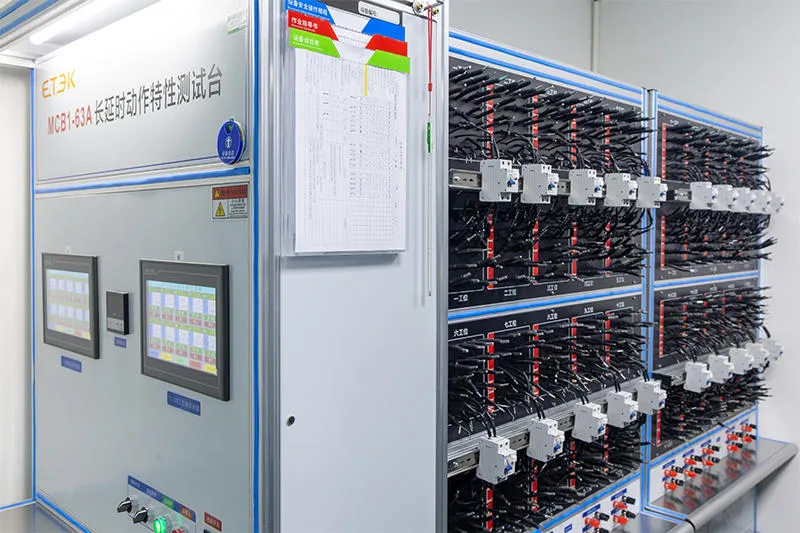
Complete this checklist before summer thunderstorm season begins:
Visual inspection — Check the status indicator window on every SPD in the facility. Green = OK. Red or yellow = action required.
Installation date review — Record when each SPD was installed. Calculate whether it has exceeded the recommended replacement cycle for its environment.
Overcurrent protection check — Verify that upstream MCBs or fuses are not tripped. If they are, investigate why—don't simply reset.
Ground resistance test — Measure grounding resistance. For commercial and industrial installations, it should be ≤ 4 Ω. Higher resistance prevents the SPD from effectively diverting surge energy to earth.
Physical inspection — Look for cracks, burns, discoloration, or moisture ingress on SPD housings.
Terminal torque check — Verify that all connections are secure. Loose terminals generate heat and increase resistance.
Maintain a log — Record inspection dates, test results, and replacements. This supports budget planning and demonstrates due diligence for insurance or compliance purposes.
Frequently Asked Questions About SPD Maintenance
Q: Do I need to replace the SPD after every lightning strike?
Not necessarily. A direct strike typically destroys the SPD. But an indirect induced surge may not be fatal. Use the visual indicator as your primary guide. If the window is still green, the SPD remains functional.
Q: Can I parallel two SPDs for redundancy?
Generally not recommended. Aging is rarely synchronized between two devices. One may degrade faster, placing excessive load on the other and creating unpredictable failure modes. Use a single, appropriately sized high-capacity model instead.
Q: What does “Type 1” vs “Type 2” mean for replacement?
Type 1 SPDs handle higher-energy surges. Type 2 SPDs handle residual energy. Both types age and require the same inspection frequency. The replacement indicator works identically regardless of type.
Q: Can I just replace the MOV inside the SPD?
Most modern pluggable SPD modules are designed for whole-module replacement, not component-level repair. Replacing individual MOVs is not recommended unless you have the specific training and test equipment to verify proper operation afterward.
Immediate Action When SPD Indicator Shows Red
If you find a red indicator during your pre-storm inspection:
-
De-energize the SPD circuit
-
Remove the failed module
-
Install a new module with identical specifications
-
If no spare is available, remove the failed SPD entirely and order a replacement immediately. Operating with a red-indicating SPD in place gives no protection—removing it at least eliminates the fire risk
Final Thought
SPDs are not "fit and forget" devices. They are consumable components with finite lifespans, and their failure is invisible until it's too late. A 30-minute pre-storm inspection can prevent six-figure equipment damage and days of unplanned downtime. Make SPD inspection a standard part of your seasonal maintenance routine—your equipment depends on it.